BOS CHOCH Scanner Tool
USER-GUIDE | Features Walkthrough
STOP
Scanning 20+ Charts Manually !!
See which stocks are worth trading
in Seconds - Not Hours !!!
↓ SEE HOW IT WORKS ↓
What is a 'Scanner Tool' ?
A Scanner format program automatically detects 'signals' across multiple symbols in real-time and displays on a single chart, so you only focus on high-quality setups rather than switching charts.

So...
No More Scanning Multiple Charts Manually
No More Missing Signals in Live Markets
No More Delayed entries due to missed Signals
No You Don't need the following :
-
No Need of Paid Tradingview Plan
-
No need of Coding Knowledge or experience
How It Works :
-
You Simply add the indicator to your chart on Tradingview
-
Select symbols you need the signals to be scanned for
-
Get Signal updates on the the main chart
-
setup alerts and get real-time notifications
Who this is for ?
-
Intraday Traders who scan multiple stocks
-
Serious Traders who don't want to miss opportunities
-
Traders who miss entries due to slow scanning
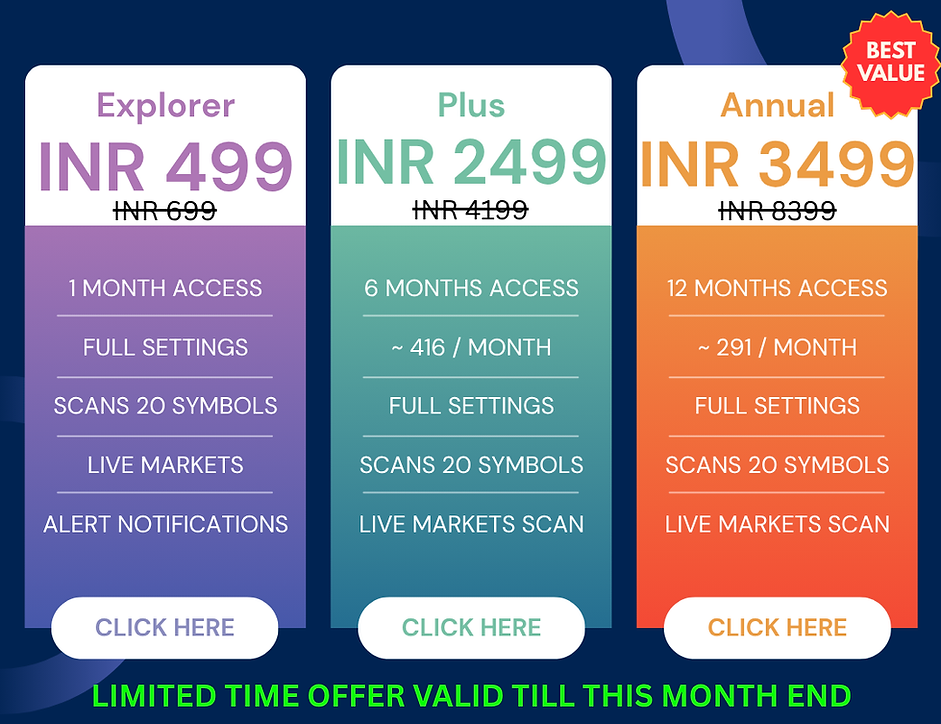
Once you have made the payment, the Indicator access should reflect under your Tradingview's Indicator Library -> Invite Only Section
(in around 24 hrs)

Following are the Parameters / Settings made Available

Modifiable Parameter
You have the total control over the parameters values. So as to use as per requirement.
Scan for upto 20 symbols
You have total control on which symbols to scan for.
You set the list of 20 symbols or less as per your requirement and need.


Control Styling of Table Output
You have total control the size, color and position of the table being displayed with the list of symbols along with the signals.
Following is the Sample Output

The table will display the following
-
Symbol : name of the symbols entered in the settings
-
Trend Status : Bullish / Bearish status
-
Time : time of the last signal is stored and displayed for easy recognition on latest vs old signals.
Other Features
-
Usable on all timeframes
-
Usable on all exchanges and Symbols
-
Usable on all types of instruments (Stocks, Forex, Futures, etc)
-
Set up alert notifications for new signals
Other Notes :
-
Keep the list of symbols within a same timezone or exchange for better accuarate and effeciency in program running.
Disclaimer :
These tools are designed to assist users in analyzing and evaluating trading strategies. They are not intended to generate direct buy or sell signals and should not be used as a signal-generating system. The developer is not responsible for any losses arising from the use of these tools, including but not limited to errors, limitations, or market conditions. Users are advised to seek guidance from a qualified market professional before making trading or investment decisions.